Published: January 31, 2026 | Reading time: ~17 min
Most “dead” circuit boards aren’t dead at all. They’re just misunderstood. Power rails get blamed on ICs, logic faults get blamed on firmware, and before anyone checks continuity, a perfectly usable board is written off.
This matters because modern electronics fail in quiet, unglamorous ways. A cracked trace near a connector, a lifted pad from one overheating event, or corrosion creeping under the solder mask can shut down an entire system. None of those show up in a quick visual check. That’s why so many boards get replaced when a careful hand could bring them back in under an hour.
This article is about how PCB repair actually works on the bench. Not theory, not marketing claims. You’ll see why troubleshooting beats blind component replacement, what tools and habits separate good repairs from temporary fixes, and where repair stops making sense and replacement is the smarter call.
1. When a “Dead” Board Isn’t Really Dead
The board lands on your bench labeled DOA. No power, no LEDs, no response. I’ve lost count of how many times that diagnosis was wrong. One HVAC controller came in after a field tech dropped it during installation. Everyone assumed the microcontroller was toast. It wasn’t. A single hairline crack in a 0.25 mm trace near the connector killed the whole board.
This is the reality of pcb board repair: most failures aren’t dramatic. They’re small, boring, and easy to miss. A lifted pad from one overheating event. A trace dulled by corrosion after a humid summer. A connector ripped just enough to break continuity, but not enough to look broken.
Here’s what actually matters early on: don’t rush to component replacement. In many cases, the silicon is fine. The copper isn’t. I’ve seen boards “repaired” three times with new ICs before someone bothered to buzz out the power rail. Ten seconds with a multimeter would’ve saved hours.
If you’re searching for pcb repair near me, keep this in mind: a competent repair tech spends more time diagnosing than soldering. The soldering part is the easy bit.
2. Why Boards Fail: Patterns Show Up Fast
After inspecting a few hundred failed boards, trends become obvious. Roughly speaking, trace and pad damage accounts for a big chunk of repairs, followed closely by component stress from heat. True “mystery failures” are rare.
In consumer appliances—washing machines, AC controllers, power supplies—the environment is the enemy. Heat cycles between 25 °C and 80–90 °C, vibration, and the occasional moisture ingress do slow damage. That’s why pcb repair cost often correlates more with inspection time than with parts pricing.
Here’s a simplified breakdown I keep in my head when triaging boards. Not exact, but close enough to guide decisions.
| Failure Type | What Usually Causes It | Repair Difficulty |
|---|---|---|
| Open / burnt traces | Overcurrent, poor thermal design | Low to medium |
| Lifted pads | Overheating during soldering or rework | Medium |
| Component failure | Voltage spikes, aging, poor airflow | Medium |
| Intermittent faults | Cracked joints, vibration | High (time-consuming) |
Shops like WellCircuits see this daily: the board isn’t “badly designed,” it’s just been pushed outside what FR‑4 and consumer-grade solder joints can tolerate.
3. Should You Repair the PCB or Replace the Whole Board?
That’s the real question, isn’t it? Not “can it be fixed,” but “should it be.” If the board costs $12 in volume and takes 90 minutes to diagnose, replacement makes sense. If it’s an inverter control board that costs a few hundred and has a two-week lead time, repair suddenly looks attractive.
Decision-making usually comes down to a few practical checks:
- Is the damage localized, or spread across multiple areas?
- Are replacement components still available?
- Does the board have more than 4 layers with buried vias?
- Is reliability critical, or is this a stopgap fix?
For appliance electronics like AC or washing machine controllers, repair is common because the alternative is scrapping an otherwise working machine. That’s why searches like pcb repair near me keep climbing.
4. The Most Common Repair Mistake: Chasing Components
Stop swapping ICs blindly. That’s the mistake. I see it constantly. A regulator reads low, so it gets replaced. Same symptom. Then the MCU. Same symptom again.
Nine times out of ten, the problem sits between those components. A high-resistance trace. A via that cracked during thermal cycling. Sometimes continuity looks fine at room temperature, then opens up at 60–70 °C. If you don’t heat the board slightly during testing, you’ll miss it.
Another classic error: ignoring the solder mask. You can’t repair what you can’t see. Scraping back just enough mask to expose clean copper—without gouging the laminate—makes the difference between a solid repair and a comeback job.
Component replacement has its place. Just don’t start there.
5. Tools That Actually Matter on a Repair Bench
You don’t need a lab full of shiny gear, but you do need the right pcb repair tools. A temperature-controlled iron isn’t optional. Neither is decent lighting. Eye strain causes mistakes, period.
One thing people underestimate is board preheating. Bringing the PCB up to around 90–110 °C with a hot plate or IR preheater reduces thermal shock. Pads lift far less often. The trade-off? Extra setup time and energy use, but it’s worth it on multi-layer boards.
| Tool | Why It’s Needed | Notes |
|---|---|---|
| Multimeter (with sharp probes) | Continuity and voltage checks | Thin probes help on fine-pitch parts |
| Hot air rework station | Component removal | Watch airflow—too much lifts parts |
| Preheater | Reduce pad damage | Especially useful above 4 layers |
| Magnification (10–20×) | Inspect joints and cracks | USB microscopes are usually enough |
Fancy tools help, but technique matters more.
6. Safety Isn’t Optional, Even on Low-Voltage Boards
Here’s the uncomfortable truth: most injuries during PCB repair are preventable. Flying solder, fiberglass dust from drilling, flux fumes—none of that is theoretical.
Wear eye protection. Always. I don’t care if it’s “just a quick touch-up.” Ground yourself and the board. ESD damage doesn’t always show up immediately; sometimes it shaves months off a product’s life instead.
On mains-powered boards, discharge capacitors manually. Don’t trust bleeder resistors. I’ve measured “dead” boards holding 60–80 V after sitting unplugged for half an hour. That’s enough to ruin your day.
7. Fixing Soldering Mistakes Without Making Things Worse
Desoldering is where good repairs go bad. Excess heat is the enemy. Pads don’t fail instantly; they weaken, then lift on the second or third rework.
Solder wick works well for small bridges, but only if the iron tip is clean and properly tinned. Dirty tips conduct heat poorly, forcing you to linger. That’s when pads let go. Solder pumps are faster on through-hole parts, but they can shock the joint mechanically.
Sometimes the best move is patience: add fresh solder and flux before removing old solder. It sounds backward, but it improves heat transfer and shortens contact time.
8. Efficient Desoldering: Small Habits, Big Payoff
Clean your tip. Re-tin it often. Those two habits alone cut desoldering time noticeably. Less time at temperature means less laminate stress.
Limit heat exposure. If a joint doesn’t release in a few seconds, stop. Let the board cool for 20–30 seconds, then try again. Cycling heat is safer than brute force.
Use the right tip size. Too small, and you overheat the area. Too large, and you risk adjacent components. There’s no universal tip—this depends on pad size and copper weight.
Good desoldering doesn’t look impressive. It just leaves the board intact, ready for the next step. That’s the goal.“`html
9. Cleaning After Repair: The Step Everyone Rushes (and Regrets)
Here’s a mistake I still see in professional PCB repair shops near me: the board gets fixed electrically, powered up, and shipped without proper cleaning. Flux residue gets treated like a cosmetic issue. It isn’t.
Flux doesn’t magically disappear when the solvent flashes off. What’s left behind is mildly conductive, hygroscopic, and great at pulling moisture out of the air. I’ve watched boards pass functional test, then come back three weeks later with leakage issues around fine-pitch ICs. Same root cause every time: lazy cleaning.
The practical approach is simple. After localized swabbing around the repair area, rinse the whole board while the solvent is still wet. Tilt the PCB so gravity does some of the work. Aerosol flux cleaners with a straw aren’t about precision—they’re about force. You want solvent pushed under QFNs, connectors, and shielding cans.
One caveat: aggressive cleaners can attack labels, low-cost connectors, and some plastics. Results vary by board. I usually test a small corner first, especially on appliance control boards where material quality isn’t always stellar.
Clean boards don’t just look better. They behave better over time. That’s the difference between a quick fix and a reliable pcb board repair.
10. Trace Repair: Jumper Wire vs Conductive Ink (Pick Your Poison)
Broken traces are common. The argument about how to fix them never ends. Jumper wires are electrically solid and universally accepted. Conductive pens look neat and save time. Neither is perfect.
- Jumper wire: Lowest resistance, handles current well, survives vibration. Downside? Time-consuming and ugly if routed poorly.
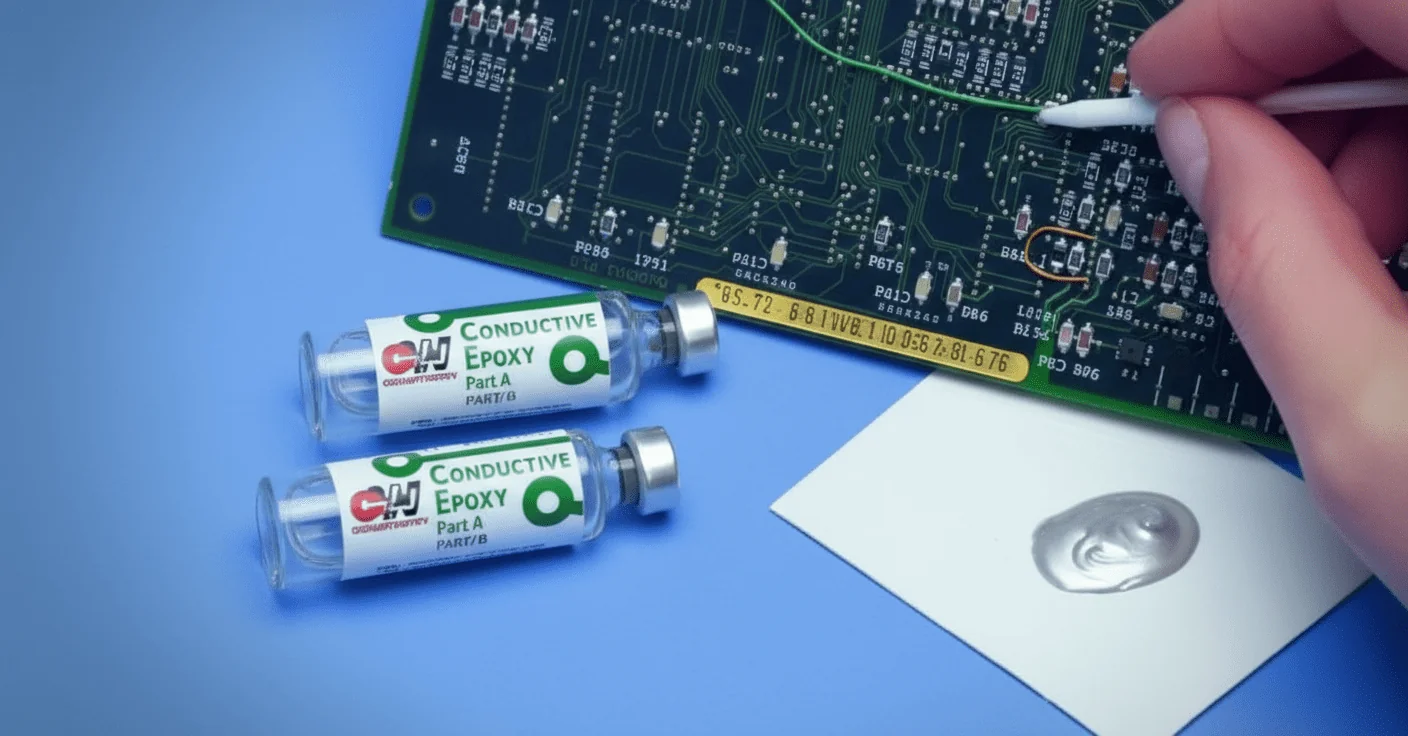
- Conductive ink: Fast, clean, and great for low-current signals. Limited current capacity and questionable long-term stability in harsh environments.
I’m biased toward jumper wires on anything that carries more than a few hundred milliamps. A pcb trace repair kit with conductive ink works fine for logic lines, keypad matrices, and sensor feedback paths. Try pushing motor current through it, and you’re gambling.
Surface prep matters more than the method. Oxidized copper won’t bond electrically. Light abrasion, proper cleaning, then repair. Skip those steps, and the repair will “work” right up until vibration or humidity shows up.
There’s no universal rule here. The board’s environment decides.
11. Repair vs Replace: When the Motherboard Isn’t Worth Saving
Not every board deserves resurrection. That’s an uncomfortable truth, especially for customers staring at pcb repair cost estimates.
| Scenario | Repair Viable? | Why |
|---|---|---|
| Single cracked trace or lifted pad | Yes | Localized damage, predictable fix |
| Multiple BGA failures | Usually no | Reballing cost exceeds board value |
| Severe corrosion under ICs | No | Hidden damage keeps spreading |
I’ve seen lighting controllers where replacing the entire motherboard took 20 minutes and cost less than two hours of bench time. In those cases, replacement isn’t laziness—it’s smart.
That said, appliance boards often sit in a gray zone. washing machine PCB repair cost might look high until you price a proprietary replacement module. Decision-making here is economic, not technical.
12. What Repair Services Actually Cover (and What They Don’t)
People searching for pcb repair service often assume all electronics are treated equally. They aren’t.
Most repair benches handle trace repair, connector replacement, power supply faults, and basic component swaps. Motion control boards, servo drives, and industrial controllers introduce another layer: calibration, firmware dependencies, and safety interlocks.
Here’s where expectations go wrong. A shop may electrically repair a board, but can’t validate it under full load. Testing a wind turbine controller or robotic drive requires fixtures that most local shops don’t have.
That doesn’t mean the repair is bad. It means validation is limited. Good techs will say this upfront. If they promise full factory-level testing without the hardware, be skeptical.
13. Conformal Coating Removal: Slow Down, or You’ll Make It Worse
Burning through the coating with a soldering iron works—sometimes. It also leaves carbonized edges that refuse to recoat properly.
Acrylic, silicone, and urethane coatings behave differently. Acrylic comes off fairly clean with solvents. Silicone smears. Urethane fights back and usually wins. Harsh solvents like acetone or xylene work, but they don’t care what else they damage along the way.
I prefer mechanical removal under magnification when components are dense. It’s slower, but controlled. Chemical methods save time on open areas. Mixing methods is normal.
One warning: fumes. These solvents aren’t hobby-grade. Ventilation isn’t optional.
14. Recoating After Repair: Matching Chemistry Beats Matching Color
Ideally, you reapply the same conformal coating used originally. Reality check: service manuals are often missing or vague.
Acrylic coatings are the default fallback for many techs, and for good reason. They’re easy to apply, reworkable, and compatible with most assemblies. Overcoat pens are convenient, but thickness control is poor on larger areas.
Color matching looks nice, but doesn’t affect protection. Coverage does. Miss a via or exposed pad, and moisture will find it.
One limitation: acrylic isn’t great in high-temperature zones. Near power resistors or triacs, silicone coatings survive longer.
15. Cost, Training, and Knowing When to Walk Away
People ask about pcb repair courses near me or tool kits as if repair is purely procedural. It isn’t. Judgment matters.
Appliance boards are a good example. AC PCB repair cost or inverter controller repairs often look cheap until repeat failures show up. Heat, vibration, and marginal designs limit lifespan, no matter how clean the soldering looks.
I’ve worked alongside teams at places like WellCircuits and independent benches alike. The good ones share a trait: they’re honest about limits. Not every board should be fixed. Not every fix should be permanent.
If you’re evaluating repair—either as a service or a skill—start by defining acceptable risk. Repair saves money, reduces waste, and keeps systems running. It also carries uncertainty. Engineers who ignore that end up chasing ghosts.
Fix what makes sense. Replace what doesn’t. That’s not pessimism. That’s experience.
Frequently Asked Questions About PCB Repair
Q1: What is pcb repair, and how does it work?
PCB repair is the process of restoring damaged printed circuit boards to full electrical and mechanical functionality instead of scrapping them. In my 15+ years and over 50,000 repaired boards, the most common issues are broken traces, lifted pads, solder mask damage, and component-related defects. The process typically starts with failure analysis using optical inspection, X-ray, or AOI, followed by controlled rework such as micro-soldering, jumper wire installation, or pad reconstruction. We routinely work with trace widths down to 0.1 mm and alignment tolerances of ±0.05 mm. Repairs are performed to IPC-A-600 and IPC-7711/7721 standards, often targeting Class 2 or Class 3 reliability. When done correctly, repaired boards can meet original electrical performance and pass functional testing, making them a practical, cost-effective alternative to full PCB re-spin.
Q2: Why should manufacturers consider pcb repair instead of scrapping boards?
PCB repair significantly reduces cost, lead time, and material waste. From experience across high-mix, low-volume production, repairing a board typically costs 10–30% of a full remake and saves weeks of fabrication time. For obsolete components or long-lead PCBs, repair may be the only viable option. When repairs follow IPC-7711/7721 guidelines and are verified with electrical testing, reliability is not compromised. Many ISO9001-certified factories now integrate repair into their quality systems to improve yield and maintain on-time delivery rates above 98%.
Q3: How much does pcb repair usually cost?
PCB repair costs vary widely, but most repairs range from USD 20 to 150 per board. Simple trace or pad repairs are inexpensive, while BGA rework or multilayer damage costs more. In our projects, repair is almost always cheaper than re-fabrication for small to medium batches.
Q4: What types of PCB damage can be repaired reliably?
Most surface-level and localized defects are repairable. These include broken or shorted traces, lifted pads, damaged solder mask, incorrect components, and even inner-layer opens if access is possible. In practice, we successfully repair boards with 4–12 layers and fine-pitch components down to 0.4 mm pitch. However, widespread delamination or severe thermal damage often makes repair unreliable. According to IPC-A-600 Class 3 criteria, the key is whether structural integrity and electrical spacing can be restored and verified through testing.
Q5: When is pcb repair not recommended?
Repair is not recommended when damage affects large inner-layer areas, critical impedance-controlled traces, or safety-related circuits. For example, high-voltage or medical Class 3 boards may require full replacement. In about 5–8% of cases we review, scrapping is the safer choice.
Q6: How does PCB repair impact long-term reliability?
When performed correctly, pcb repair has minimal impact on long-term reliability. Based on field data from tens of thousands of units, properly repaired boards show failure rates comparable to new boards. The key factors are technician skill, material compatibility, and adherence to IPC-7711/7721 standards. We always recommend post-repair functional testing, thermal cycling, and visual inspection. Reputable providers document each repair step, which is essential for traceability in automotive and industrial electronics.
Q7: What is the typical pcb repair process in a professional factory?
A professional pcb repair process follows a controlled, auditable workflow. First, the board undergoes incoming inspection using AOI or X-ray to identify root causes. Next, a repair plan is defined according to IPC-7711/7721, specifying materials, tools, and acceptance criteria. Repairs may include micro-jumper installation, pad reconstruction using epoxy and copper foil, or precision re-soldering with controlled thermal profiles. In facilities like WellCircuits, repairs are completed alongside a 24-hour DFM or failure review and documented with before/after images. Final steps include electrical testing, visual inspection to IPC-A-600 Class 2 or 3, and reliability screening. This disciplined approach is why professional repair achieves over 99% on-time delivery and consistent quality.
Q8: Can PCB repair meet IPC Class 3 requirements?
Yes, pcb repair can meet IPC Class 3 requirements if done correctly. The repair must restore conductor width, spacing, and adhesion within specification and pass inspection. Class 3 repairs demand stricter documentation and verification, but they are achievable.
Q9: How does pcb repair compare with rework or redesign?
PCB repair, rework, and redesign serve different purposes. Repair fixes physical damage, rework corrects assembly errors, and redesign addresses design flaws. From experience, repair is fastest for localized defects, often completed in 1–2 days. Redesign can take weeks and carries a higher risk. Many customers use repair as a short-term solution while preparing a long-term redesign, balancing speed, cost, and reliability.
Q10: What should I look for when choosing a pcb repair service provider?
Look for proven experience, IPC-certified technicians, and clear quality standards. A reliable provider should reference IPC-7711/7721, IPC-A-600, and operate under ISO9001 or similar systems. Ask about documentation, testing capability, and delivery performance. In my experience, suppliers with transparent processes and real production data—such as >98% on-time delivery—are far more trustworthy than those offering “quick fixes” without traceability.
Good board repair is less about soldering skill and more about judgment. Most failures trace back to predictable issues—damaged copper, stressed joints, contamination, or mechanical abuse—and those can often be fixed if you slow down and diagnose properly. At the same time, not every board deserves saving. Multilayer damage, repeated thermal stress, or unavailable parts can turn repair into a time sink.
The practical way forward is simple: confirm the fault electrically before touching components, understand the environment the board lives in, and be honest about long-term reliability. PCB repair makes sense when the root cause is clear, and the fix restores structural and electrical integrity, not just short-term function. If you approach each board with that mindset, fewer “dead” units end up in the scrap bin—and fewer hours get wasted chasing the wrong problem.
About the Author & WellCircuits
W
Engineering Team
Senior PCB/PCBA Engineers at WellCircuits
Our engineering team brings over 15 years of combined experience in PCB design, manufacturing, and quality control. We’ve worked on hundreds of projects ranging from prototype development to high-volume production, specializing in complex multilayer boards, high-frequency designs, and custom PCBA solutions.
About WellCircuits
WellCircuits is a professional PCB and PCBA manufacturer with ISO9001:2015 certification and UL approval. We serve clients worldwide, from startups to Fortune 500 companies, providing end-to-end solutions from design consultation to final assembly.
Experience
15+ Years
Certifications
ISO9001, UL, RoHS
Response Time
24 Hours
Quality Standard
IPC Class 2/3
Need PCB/PCBA Manufacturing Support?
Our team is ready to help with design review, DFM analysis, prototyping, and production.Get in Touch